SERVER TYPES & VERSIONS
Every world starts with a choice.
Vanilla, Paper, Purpur, Spigot, Fabric, Forge, NeoForge, or your own server JAR. Pick a Minecraft version and give it a home.
A proper home for your Minecraft server. From the first install to your next modded adventure, EnderBase puts it all within reach.
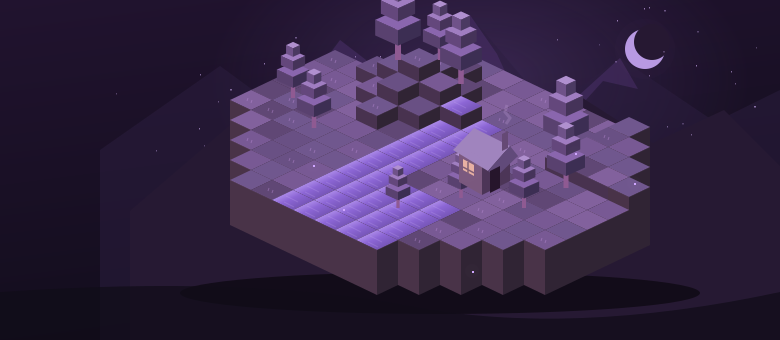
A desktop workspace that brings the everyday server jobs together. Your server runs on your machine, under your control.
Vanilla, Paper, Purpur, Spigot, Fabric, Forge, NeoForge, or your own server JAR. Pick a Minecraft version and give it a home.
The mod browser matches your server’s version and loader, then reviews required dependencies before installing. Available with Diamond and Netherite.
Create folders, change a server path, and connect existing worlds. Edit text configurations and keep recovery copies without leaving the launcher.
Start with a world for friends, or make space for something bigger. Every tier includes the core launcher, console, server properties, and folder tools.
Loading tier settings. Prices shown are draft examples.
A focused home for a server with friends.
Explore modded worlds and keep a way back.
Find compatible mods without leaving your app.
More workspaces, more devices, business use.
Run the Windows installer and enter your license key. Your workspace gets its own folder in Documents.
Pick a type, Minecraft version, and folder. Follow the welcome tutorial to check Java and review the EULA.
Start the server, watch the console, and invite your friends. Add compatible mods or plugins as your world grows.
Your server runs on your Windows computer. EnderBase manages its files and Java process. Internet access for friends requires your network or a tunnel service.
The launcher loads available releases from official server projects. Your selected type, loader, mods, and Java version still need to be compatible.
Compatible EnderBase builds can check the configured update feed at startup and every six hours. Installation waits for your choice and a stopped server. The public installer feed is still being prepared; older builds need a new installer once.
A key activates your tier on a limited number of devices. The owner can upgrade the same key. The launcher checks signed access and refreshes it online when the license service is public.
A saved lifetime activation remains usable offline on its original device. Monthly access lasts through the paid-through date. Legacy renewable keys use the expiry in their signed access. New devices still need the service or an owner-issued activation.
Your files remain on your computer. You can still open their folder and safely stop a running server. Renew your access before starting another session or using paid features.